
A bad webcam setup can cost you a $90 exam fee and a whole week of your life. That sounds harsh, but I have seen students lose a test slot because they used the wrong browser, had a messy desk, or showed up with a dead ID. Online proctored exams look simple from the outside. They are not simple on test day. My blunt take: most students do fine on the content and stumble on the setup. That part drives me nuts, because the tech rules do not hide in tiny print anymore. Schools use online proctored exams for one reason — they want the same trust they get from an in-person testing room, but they want that trust from your laptop at home. These exams matter for college credit because the school wants proof that you are the one taking the test, that nobody feeds you answers, and that you follow the room rules. If you do it right, you save money fast. A $100 exam that counts for 3 credits can beat a $1,200 class by a mile. If you do it wrong, you can lose the fee, lose the slot, and pay again.
Online proctored exams work by locking down your computer, checking your identity, and watching your test session live or by recording it for review. You usually start with a room scan, a photo ID check, and a face match. Then the testing system tracks your screen, your mouse, your audio, and sometimes your room through your webcam. The credit exam system depends on those controls. Schools accept the result because the proctoring setup helps prove the score belongs to you and not to a friend off camera. Most platforms also flag weird behavior, like missing eye contact, extra voices, a phone on the desk, or a second monitor plugged in. Short version: you test alone, on a locked-down device, under watch. That is the whole deal. One detail people miss: some tests let you use a whiteboard or scratch paper, but only if you show both sides to the camera before you start.
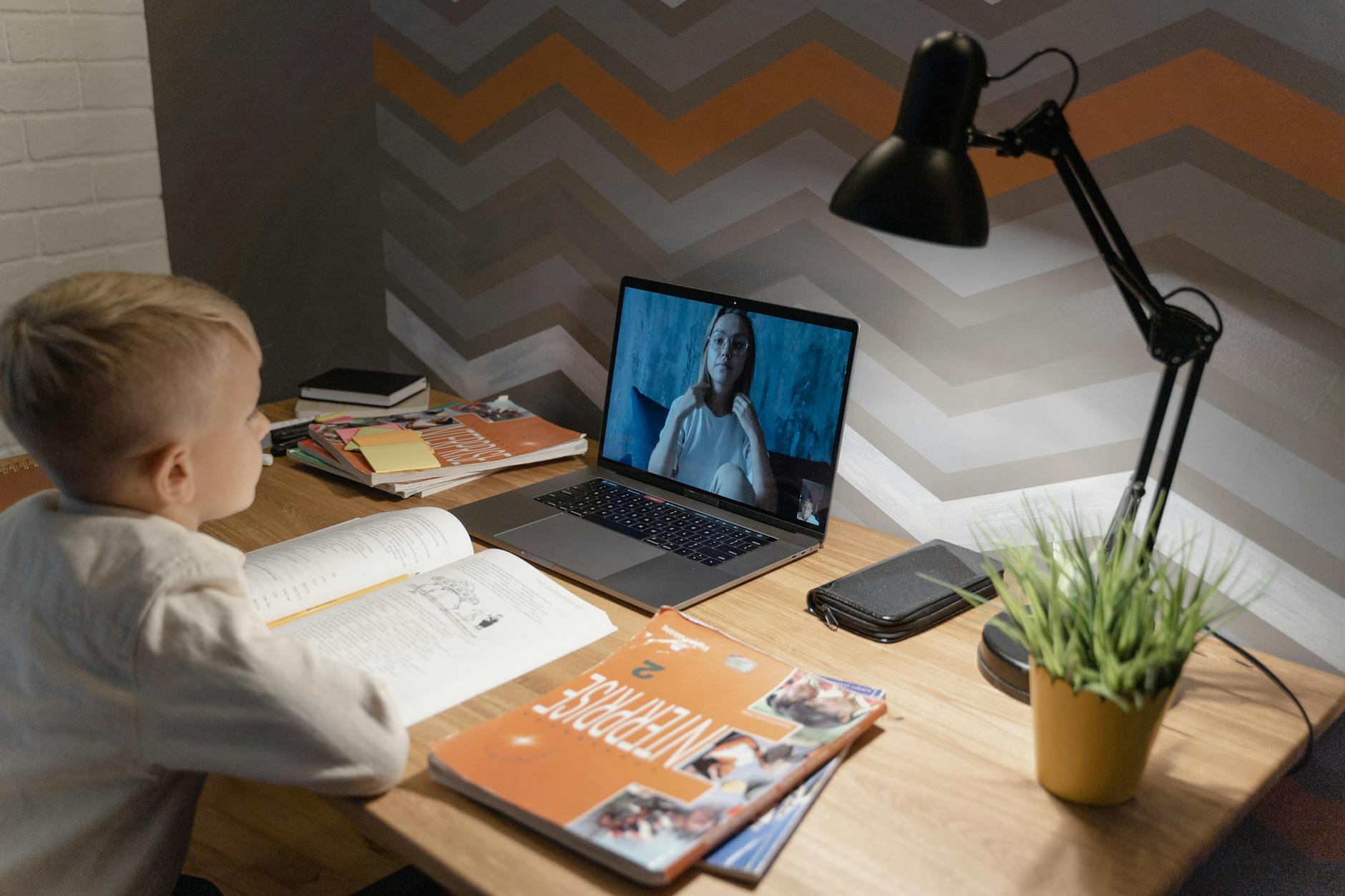
Who Is This For?
This matters for students trying to earn college credit from home, adult learners with jobs, military students, homeschoolers, and anyone taking remote exams through a school or testing vendor. It also helps people who live far from a testing center and do not want a two-hour drive for a one-hour exam. I like that part. It cuts out a lot of dumb travel costs. It does not help someone who plans to multitask. If you want to text, cook, answer email, or keep a second tab open with answers, stop right there. That setup will get you flagged fast, and honestly, it should. Schools do not hand out credit for sneaky behavior. This also does not fit every class. Some lab courses, nursing exams, and hands-on practicals still need live skill checks. A webcam can watch your face. It cannot watch you wire a circuit board or set an IV. One student with a clean laptop and a quiet room can do great here. If you share a noisy apartment with three roommates and no private space, online proctoring gets messy fast. Same for anyone with unstable Wi-Fi, an old computer, or a bad webcam. The exam may still work, but the stress level jumps hard, and that can wreck your score even if you know the material.

Understanding Online Proctored Exams
Online proctored exams use a few parts that work together. First, the testing app checks your device. It may block screen sharing, copy-paste, extra browsers, virtual machines, and some remote-control tools. Then the proctoring system checks who you are. You show an ID, take a photo, and compare your face to the name on the registration. After that, the system watches the test from start to finish through live proctors, AI alerts, or both. A lot of students get one thing wrong: they think the webcam does all the work. Nope. The software does a lot of the policing too. If you look away too often, leave the frame, or make weird clicks, the system can mark the session for review. That does not mean you fail on the spot, but it does mean a human may check your test later. That delay can matter if you need credit fast. I think that hidden review step makes people nervous, and fair enough, because nobody likes a surprise audit after a big test. Most schools and testing vendors use a strict credit exam system because they want the score to mean something. The setup builds a chain of proof: you signed in, you matched the ID, you stayed in view, and you took the test under the rules. That is why a school can accept the score for credit and not treat it like a random quiz from home.
CLEP & DSST Prep + ACE/NCCRS Backup Courses
Prep for CLEP and DSST exams with chapter quizzes, video lessons, and practice tests. If you fail the exam, the same $29/month subscription gives you the ACE/NCCRS-approved course as a backup — credit either way.
Browse All Courses →How It Works
First, you book the exam and read the setup rules. This part sounds boring, but it saves money. A missed check-in window can wipe out a $50 to $150 exam fee in one shot, and some schools charge a reschedule fee on top of that. Then you run the system check, update your browser if needed, and clear your desk. If the rules say no notes, no drinks, and no dual monitors, treat that like law, not a suggestion. The test starts with identity verification, not the first question. You hold up your ID, show your face, and pan the camera around the room. After that, you launch into the exam and stay visible. Where it goes wrong is usually stupid and avoidable. A student forgets to unplug a second monitor and gets stopped before the test even opens. Another student uses a laptop with a bad battery and dies halfway through a $120 exam. A third person takes the test in a café and gets booted for background noise. Those mistakes cost real money, not just embarrassment. Right setup looks plain. Private room. Charged device. Strong Wi-Fi. Working webcam. Clean desk. Nothing fancy. The best part is that good prep lowers the stress spike that ruins scores. You already know the rules, so you can spend your brain power on the actual exam instead of guessing whether the software will accept your login. That is a much better use of your $100 than gambling on a sloppy setup and hoping the system feels generous.
Why It Matters for Your Degree
Students miss this all the time: one exam can save a full semester. That sounds small until you put money on it. If a class costs $900 to $1,800 at a public school, and you can test out instead of sitting in a 15-week section, you cut both tuition and time in one move. That matters even more if you need a class just to open up the next step in your major. Miss that one class, and your whole plan slides back a term. A lot of students think the only loss is the exam fee. Nope. The real hit comes from delay. One stalled class can push back graduation, a job start date, or a transfer window by months. And months are expensive. A late degree can mean another round of housing, another meal plan, another semester of parking and fees, or one more month of not getting the paycheck you wanted. That is why online proctored exams do more than replace a test room. They can change the whole clock on your degree. One semester lost is a nasty bill.
Students who plan their credit transfer strategy early save $5,000 to $15,000 on total degree costs, and often cut their graduation timeline by a full semester.
The Complete Courses Credit Guide
TransferCredit.org has a full resource page for courses — covering CLEP/DSST prep material, chapter-by-chapter quizzes and video lessons, plus the ACE or NCCRS-approved backup course if you don't pass the exam. $29/month covers both.
See the Full Courses Page →The Money Side
TransferCredit.org uses a flat $29/month subscription. That gives you full CLEP and DSST prep, including chapter-by-chapter quizzes, video lessons, practice tests, and the rest of the study stack. If you pass the exam, you earn credit through the exam. If you miss on the first try, the same subscription gives you free access to the ACE or NCCRS-approved backup course in that subject, and that course also earns credit. No extra charge for the fallback. That part is smart, plain and simple. Compare that with traditional tuition. A single three-credit class often runs hundreds or even thousands of dollars before you add fees. A lot of schools also charge separate online fees, lab fees, or junk fees that feel invented by a bored office. That makes the $29 price look almost rude. I mean that in a good way. The cost gap is so wide that many students can afford to try for credit in more than one subject without blowing up their budget. If you want the CLEP prep bundle, that monthly price sits right in the sweet spot for students who want a cheap shot at real credit.
Common Mistakes Students Make
First mistake: they sign up for a remote exam with no prep plan. That sounds harmless because the test looks short and the rules look simple. Then the student hits a question style they never saw before, misses the pass line, and pays again for a retake or loses the shot altogether. That is not just a bad day. That is money gone because they treated the exam like a pop quiz. Second mistake: they wait too long and buy the wrong class at their school first. That feels safe because “real college class” sounds safer than testing out. What goes wrong is ugly. They spend full tuition on a course they could have replaced with a proctored exam, and they lose weeks they never get back. I think this is the most common and most annoying mistake, because it comes from fear, not facts. Third mistake: they ignore the backup path. A student studies for the exam, fails, and assumes the whole plan died. Not so. With the right setup, they still have the ACE or NCCRS-approved course through the same subscription. If they never use it, they waste a built-in safety net. If they do use it, they still earn credit and keep moving. For students using the TransferCredit.org CLEP prep option, that backup matters more than people think.
How TransferCredit.org Fits In
TransferCredit.org is not trying to be everything. It mainly serves students who want CLEP and DSST exam prep. That is the center of the offer. For $29 a month, you get the full prep material to help you pass the exam and earn credit by testing out. If you pass, great. You get the exam credit. If you miss, the same subscription gives you access to the ACE or NCCRS-approved course on that same subject, and that route also gives you credit. That two-path setup is the real draw. I like that model because it cuts the usual panic. You do not have to bet the whole semester on one shot. If you want a subject example, the Information Systems course shows how the fallback path works inside the same subscription. That is a very student-friendly design, and honestly, more schools should copy that logic instead of making students start over from zero.


Before You Subscribe
Before you buy anything, check the exam subject and match it to your degree plan. A CLEP or DSST title can look close enough and still miss the exact slot you need. Check the credit amount too. Three credits and six credits are not the same thing, and a bad match can leave a hole in your graduation plan. Also check your testing date. Remote exams still need a quiet room, a working device, a webcam, and a clean desk setup. If your internet stumbles, the whole session gets messy fast. You should also look at the school side of the credit path. Ask how the credit posts, what department takes it, and where it fits in your major map. If you want another subject example, the Educational Psychology course is a good one to inspect before you enroll, because it shows how a subject can line up with a real degree need. Do not buy first and think later. That order burns people.
See Plans & Pricing
$29/month covers full CLEP & DSST prep (quizzes, video, practice tests) plus free access to the ACE/NCCRS backup course if you don't pass the exam. No hidden fees.
View Pricing →Frequently Asked Questions
Online proctored exams work like a regular exam, but you take it on a computer while software watches the test. You start by showing a photo ID, then you scan your room with your webcam. After that, the online test monitoring system tracks your screen, your camera, and sometimes your microphone. That setup protects the credit exam system from cheating. Most exams use a lock-down browser, so you can’t open other tabs or apps. You’ll usually need a laptop, a stable internet connection, and a quiet room. The catch: you still need to follow every rule exactly, because even small mistakes like a second screen or a noisy space can trigger a flag. Read the test instructions before exam day, and do one practice check on your camera and mic.
This applies to you if you need college credit and you can test from home, a library room, or another quiet place. It does not fit you well if you share a laptop, have weak internet, or can’t sit alone for the full exam time. Online proctored exams work best for students who can handle simple tech steps and follow strict rules. You’ll need a webcam, a mic, and a clean desk. Most schools and exam providers use remote exams for subjects like math, English, and business because the online test monitoring system records the whole session. If your setup keeps breaking, you’ll waste time fast. Check your computer battery, clear your desk, and close every app before you start.
$0 to $300 is the range most students deal with, depending on what they already own. If you have a laptop with a working webcam and mic, you may not need to buy anything. If not, a basic external webcam can cost about $25 to $60, and a headset with a mic can run $20 to $50. Internet speed matters too. Aim for at least 5 Mbps up and down. The credit exam system also asks you to use a browser that supports screen lock and identity checks. That means you’ll need a quiet room, good lighting, and a desk with no books or phones near you. Test your camera angle before exam day, and keep your charger plugged in.
If you get the rules wrong, your exam can stop right away. A proctor or the online test monitoring software can freeze your session if you look away too much, leave the camera view, or open another app. That matters because the credit exam system treats those actions like possible cheating. You could lose the score, or the school could ask you to retake the test. Even small stuff can cause trouble. A phone buzzing on the desk can do it. So you should clear the room, turn off alerts, and keep your ID close. Read the checklist before you click start, and do a full tech test on the same device you’ll use for the exam.
The most common wrong assumption students have is that online proctored exams only care about the final score. They don’t. The online test monitoring system watches your whole session, not just your answers. That means your setup matters just as much as your study time. You need a valid photo ID, a working webcam, and a room with no extra people. Many students also think they can keep notes nearby. Bad idea. The credit exam system can flag a paper on the desk or a second monitor in seconds. You should prep like you’re being watched from start to finish, because you are. Spend 10 minutes checking lighting, audio, and browser settings before test day.
First, run the system check on the exact device you’ll use for the exam. Don’t skip that step. You’ll want to test your webcam, mic, speakers, browser, and internet speed at least 24 hours before your appointment. Then set up your room. Put your phone away, clear your desk, and make sure your face shows well on camera. Online proctored exams depend on clean identity verification, so keep your photo ID near you and use the same name on your account and exam booking. If the credit exam system asks for a room scan, move slowly and show the full space. A 5-minute practice run can save you from a bad launch screen or a failed check-in.
Final Thoughts
Online proctored exams work because they turn one test into a fast credit path. That can save serious time and a pile of tuition. The catch is simple: you need the right subject, the right setup, and enough prep to clear the finish line. TransferCredit.org fits that system well because it gives you both the exam prep and a built-in backup course for $29 a month. Pass the exam, or pass the backup course. Either way, you earn credit and keep your degree moving. If you want a concrete next step, pick one course, check the exam match, and set a date within the next 14 days.
Ready to Earn College Credit?
CLEP & DSST prep · ACE/NCCRS backup courses · Self-paced · $29/month covers everything